9 min read
How to Tell If a Job Posting Is Still Open Before You Apply
Learn how to spot stale, ghost, and already-filled job postings before wasting time applying.
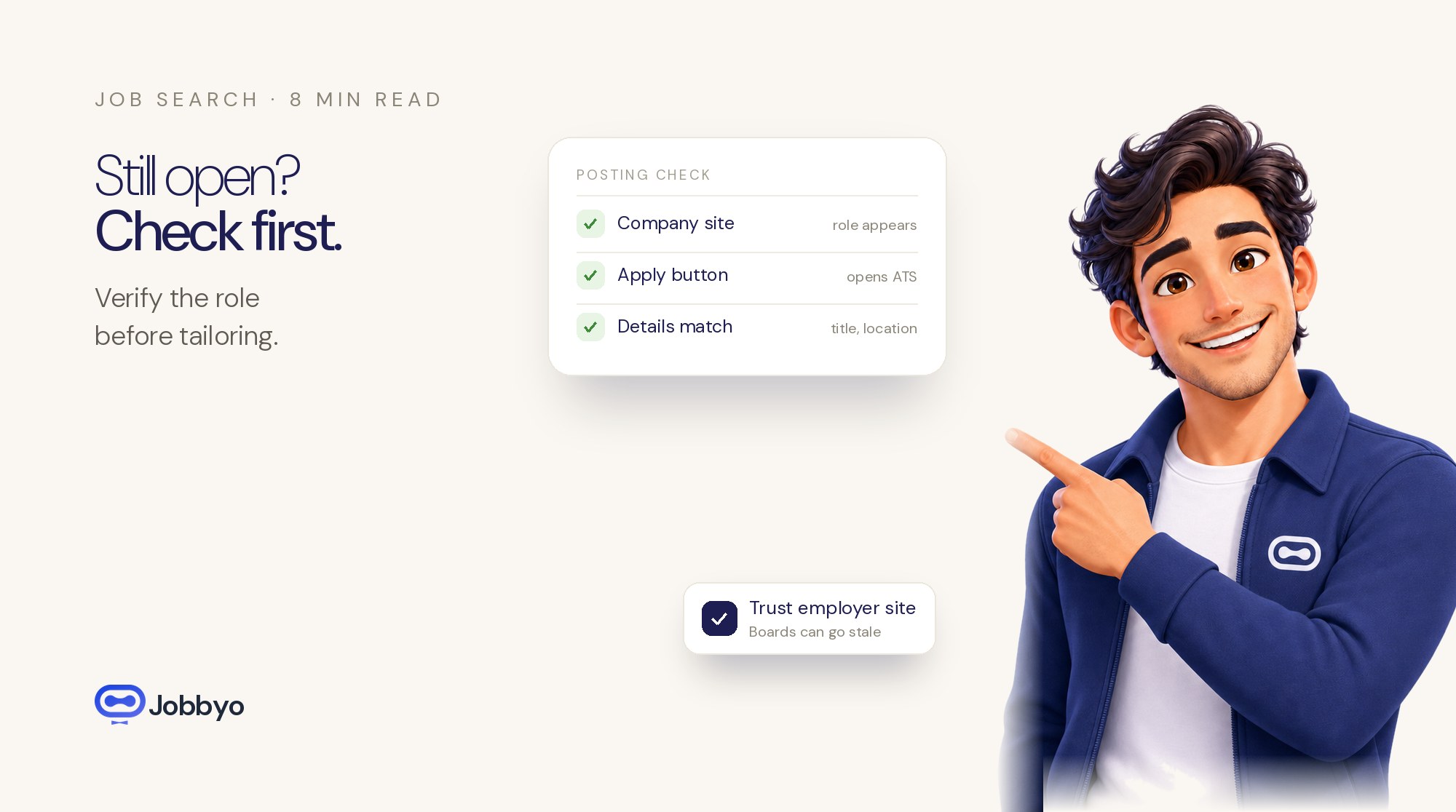
Before you spend 45 minutes rewriting a resume for one job, do the boring check first: find the role on the company’s own careers page or applicant tracking system.
If the job is missing there, the apply link is dead, the details do not match across sites, or the listing only exists on a scraper-style job board, slow down. It may still be real. It may also be stale, duplicated, filled, or never tied to approved headcount.
That distinction matters. Dead postings waste your best job-search hours. Worse, they make you think your resume is the problem when the actual problem is that nobody is reviewing that requisition.
The fastest way to verify a job posting
Use the employer’s site as the first checkpoint. Job boards are good for finding openings. They are not always reliable proof that the opening is still active.
Do this before tailoring anything:
- Copy the exact job title from the listing.
- Search for that title on the company’s careers page.
- Check the location, remote status, department, seniority, salary range, and job description.
- Look for a requisition number or job ID and see whether it matches.
- Click the apply button and make sure it opens a live employer-controlled application page or ATS page.
- Compare the company posting against LinkedIn, Indeed, ZipRecruiter, or the niche board where you found it.
If the job board says “Senior Product Marketing Manager — Remote” and the company site says “Product Marketing Manager — Austin Hybrid,” treat that as a warning. Same if one version lists a salary range and another does not, or if the responsibilities look like they were copied from a generic template.
When the job board and the employer site conflict, trust the employer site first.
One caveat: some companies host jobs through Workday, Greenhouse, Lever, Ashby, iCIMS, or another ATS, so the role may not sit neatly on a page that says “Careers.” That is fine. What you want is a working application flow controlled by the employer or its official hiring system, not a random repost with no clear source.
Signs a posting is probably stale
A stale job can look normal. The clues usually show up in the details.
Watch for these:
- The role does not appear on the company careers page or official ATS.
- The apply button is broken, loops back to a search page, or sends you through several vague redirects.
- The same title appears on multiple boards with different cities, remote rules, salaries, or duties.
- The post says “urgent,” but you keep seeing the same listing week after week.
- The recruiter or hiring manager named in the post no longer works at the company.
- The company has recently announced layoffs, a hiring freeze, restructuring, or team consolidation.
- The description could fit almost any company because it names no product, team, tools, manager, customer type, or business problem.
- The application page still accepts resumes, but the job no longer appears in the employer’s searchable job list.
None of this proves the job is fake. It does mean the lead is weaker.
Do not give weak leads your strongest effort. Save the deep tailoring for roles with clean, current evidence.
How to tell whether the company is really hiring for that role
Look for signs that the opening connects to something happening inside the business.
If a SaaS company is hiring product marketers, check whether it recently launched a product, entered a new market, expanded the sales team, or posted about new customer segments. If a cybersecurity company is hiring cloud security engineers, look for signs of infrastructure growth, cloud partnerships, customer expansion, or technical hiring around the same team.
Useful places to check:
- The company careers page
- The company LinkedIn page
- Product announcements and press releases
- The hiring manager’s LinkedIn posts
- Recruiter posts about the same role
- Employee posts mentioning team growth
- Funding, acquisition, expansion, or office-opening news
- Other open jobs in the same department
Be skeptical of “we’re always hiring” language. Sometimes it is legitimate evergreen recruiting. Sometimes it is just resume collection. An evergreen talent pool is not the same thing as an open requisition with budget, a hiring manager, and interviews happening now.
Should you apply if the job is only on LinkedIn or Indeed?
Maybe. Not automatically.
LinkedIn, Indeed, ZipRecruiter, and niche job boards are useful discovery channels. They also carry expired listings, duplicates, scraped posts, sponsored posts, and jobs that employers forgot to remove.
Before you apply through a third-party board, check:
- Does the same role exist on the company’s careers page or ATS?
- Does the apply button send you to the employer, not a mystery page?
- Is the job title identical?
- Are the location and remote-work rules the same?
- Does the salary range match, if one is listed?
- Does the description name a team, product, function, toolset, or reporting line?
- Is there a requisition number or posting date?
Be especially careful with “Easy Apply” when the role does not appear anywhere on the company site. Easy Apply is fast. Fast is not the same as useful.
For senior, technical, niche, product, marketing, SaaS, or career-change roles, take the extra minute to find the employer’s official posting before you customize your resume.
Signs the job may already be filled
A listing can stay online after the search is basically over. Companies do not always remove posts when finalists are interviewing or an offer is out.
Possible signs:
- A recruiter engaged once, then went silent.
- The job vanished from the company site but still appears on job boards.
- Employees mention a new hire joining the same team or function.
- The hiring manager stopped sharing the opening.
- The role reappears with changed wording, level, location, or responsibilities.
- The application form still works, but the job is no longer searchable on the employer’s careers page.
This is where candidates beat themselves up for no reason. If a company is already at final interviews, your application may never get a serious look even if you are qualified.
Timing is part of the game. Applying early to a verified active role usually beats sending a perfect application to a dead one.
The check to run before tailoring your resume
Before you rewrite bullets, build a cover letter, or message three employees, ask:
- Is the job live on the company’s official careers page or ATS?
- Does the apply link open a working form?
- Do the title, location, salary, seniority, and responsibilities match across sources?
- Does the post name a real team, product, function, manager, tool, or customer type?
- Is there recent evidence the company is hiring in this area?
- Does the role fit your target function, level, salary, and location limits?
- Is the posting specific enough to deserve a tailored resume?
Mostly yes? Tailor it.
Mostly no? Put it in the low-priority pile or skip it.
This is how job seekers burn out: they spend their best energy on postings that were never active, already filled, or too vague to judge. Then they have less time for recruiter follow-up, referrals, interview prep, and applications that actually deserve attention.
Ghost jobs vs. stale postings
A stale posting is usually old, neglected, duplicated, or left up by mistake.
A ghost job is worse. It looks open, but the employer may not be actively trying to fill it.
There are several reasons this happens. Some are ordinary: delayed admin cleanup, evergreen pipelines, or a hiring process paused while budgets get approved. Others are more hostile to candidates: testing the market, collecting resumes, projecting growth, or keeping options open without approved headcount.
From your side, the label matters less than the practical result. If nobody is reviewing applicants, the posting is not worth much time.
Do not waste an afternoon trying to read a company’s mind. Build a filter that keeps weak postings out of your main workflow.
How Jobbyo helps reduce dead-end applications
Jobbyo is designed to cut down the time candidates lose to stale, ghost-like, and poor-fit postings.
Instead of making you check job boards, company pages, duplicate listings, and application links by hand, Jobbyo helps identify relevant roles, customize your resume and cover letter for each opportunity, and apply automatically or with your review depending on your plan.
The point is not to spray your resume across the internet. That creates more noise. The point is to focus on roles that are more likely to be real, relevant, and worth the effort.
Jobbyo is especially useful if you are:
- Recently laid off and need momentum without wasting hours on dead listings
- Changing careers and need each application to make a sharper case
- Searching quietly while employed
- Targeting remote roles with location restrictions
- Applying for technical, niche, product, marketing, or SaaS roles where fit matters
- Tired of sending applications into silence and wondering whether the job was ever active
No job-search tool can honestly promise that every employer will respond. Jobbyo cannot control hiring managers, budgets, or timing.
What it can do is remove a lot of repetitive checking, tailoring, and stale-posting noise from the process.
Bottom line
Stop treating every visible job posting as a real opening.
Verify the role at the source. Check the apply link. Compare the details. Look for current hiring evidence. Prioritize postings that are active, specific, and aligned with your search.
A stronger job search is not about applying to the most jobs. It is about applying to the right jobs while they are still open.
If you want help finding active roles, tailoring applications, and avoiding stale postings, start a free trial with Jobbyo.
Put this to work
Let Jobbyo find your
best matches for you.