How to Ace a Video Interview in 2026: The Complete Remote Hiring Playbook
Video interviews are now the first filter at most companies. Here's exactly how to prepare, what to fix, and how to make a strong impression before you say a single word.
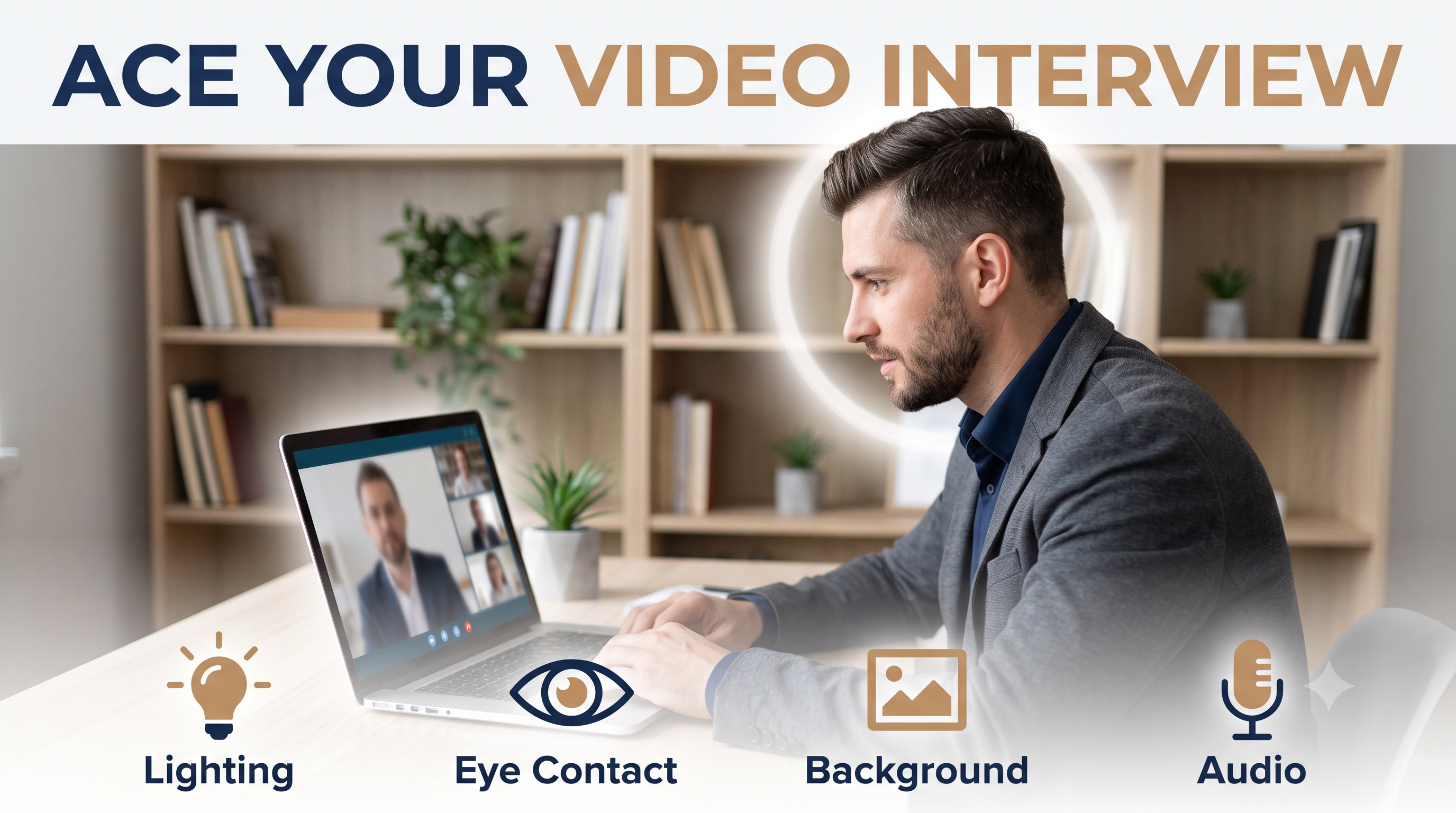
How to Ace a Video Interview in 2026: The Complete Remote Hiring Playbook
Video interviews aren't a substitute for in-person interviews anymore. For most companies, they've become the default first and sometimes only filter before a final round. A 2025 LinkedIn Talent Trends report found that 82% of recruiters now use video interviews at some stage of the hiring process — and many companies conduct the entire process remotely.
That shift has created a new set of failure modes that have nothing to do with your qualifications. Candidates with strong backgrounds are eliminated because of a bad background, a laggy connection, or a tendency to look at the screen instead of the camera. These are fixable problems, and fixing them before your next interview is one of the highest-leverage moves you can make.
This guide covers everything: setup, presence, language, and the preparation habits that consistently lead to callbacks.
What Interviewers Actually Notice First
Before you say a single word, the interviewer has already formed an impression. Research on video communication suggests that within the first 30 seconds, people make quick assessments based on three things:
- Video and audio quality — poor quality signals lack of preparation or investment
- Environment — cluttered or distracting backgrounds pull attention away from you
- Eye contact — where you look immediately signals confidence or uncertainty
None of these have anything to do with your skills. But all of them affect how your skills are perceived.
The good news: every one of these is completely within your control.
Setting Up Your Technical Environment
Camera Positioning
Your camera should be at or slightly above eye level. If you're using a laptop, prop it up on books. Looking down at a camera makes you appear smaller and less confident. Looking slightly up at it is worse — it gives a view up your nose and emphasizes neck tension.
Position yourself so your head and upper chest fill about two-thirds of the frame. Too far away makes you look distant. Too close is uncomfortable.
Lighting
Natural light from a window in front of you (not behind you) is ideal. If your home office doesn't have that, invest in a basic ring light or a soft box positioned at face level. It doesn't need to be expensive — even a $30 ring light from Amazon is a meaningful upgrade over overhead lighting.
Avoid:
- Windows or bright light sources behind you (silhouette effect)
- Harsh overhead lighting (unflattering shadows)
- Mixed light temperatures (part natural, part warm bulb)
Audio
Audio quality matters more than video quality. A slightly blurry camera is forgivable. Echoing, background noise, or choppy audio disrupts the conversation and makes you harder to understand — both problems that reflect on you regardless of cause.
Use headphones with a built-in microphone, or a USB desktop mic if you're frequently interviewing. Close windows, turn off fans, and mute notifications before the call starts. Test your audio at least 15 minutes before the interview, not 2 minutes before.
Internet Connection
Join from the most stable connection available — wired ethernet if possible, 5GHz Wi-Fi if not. Move closer to your router. Let household members know you'll be on a call. If your connection is unpredictable, have a mobile hotspot as backup and mention it briefly at the start: "Just so you know, I have a backup hotspot if we have any connection issues."
The Background and Environment
Your background communicates something about you even if you don't intend it to. A clean, slightly personalized background — a bookshelf, a piece of art, a plant — tends to work well. A bare white wall works fine too.
What doesn't work:
- Beds or unmade bedrooms
- Cluttered surfaces with visible personal items
- Distracting movement (a window where people walk by, a TV in the background)
- Virtual backgrounds with cheap green screen effects that show your outline flickering
If your home environment is genuinely difficult to control, a virtual background with proper green screen setup is better than a chaotic real background. Most dedicated video interview platforms support them.
Camera Eye Contact: The Most Underrated Skill
In a face-to-face conversation, eye contact happens naturally. In video, it requires active adjustment.
When you look at the interviewer on your screen, your eyes are pointed down relative to the camera. To the interviewer, this looks like you're looking away or at your notes.
The fix: look at the camera dot, not the interviewer's face on screen. Position the video window near the top of your screen so you can glance at the interviewer while staying relatively close to the camera. Practice this before the interview — it feels unnatural at first, but it reads as engaged and confident on the other end.
Before the Interview: Preparation That Shows
The setup matters, but what you say matters more. Here's how to prepare in a way that's visible in the conversation.
Research Specifically
Generic company research doesn't stand out. What stands out is specific, current knowledge:
- What has the company announced in the last 30-60 days?
- What has the interviewer posted about or commented on publicly?
- What are the team's current challenges based on the job description language?
Reference something specific early in the conversation. "I was reading about your team's expansion into [market] — that's actually part of what drew me to this role." This signals that you treat interview prep like research, not memorization.
Prepare Your Environment Before the Call
Log on 5-7 minutes early. Have a glass of water nearby. Close every browser tab except the video call and any notes you want to reference. Put your phone face down or in another room. Set Slack and email to Do Not Disturb.
Have a brief, confident answer ready for the inevitable "Can you see and hear me okay?" moment. It's the equivalent of a handshake — make it smooth and warm.
Test the Platform
If it's a platform you haven't used before (HireVue, Spark Hire, Zoom, Teams, Meet), download the app and test it the day before. Know where the mute button is. Know how to share your screen if that might come up.
During the Interview
Pacing
People naturally speak faster under stress and faster on video than in person. Make a deliberate effort to slow down. Pause between thoughts. Silence feels longer to you than it does to the interviewer.
After answering a question, stop and wait. Don't fill silence with "um" or "so yeah, that's kind of what I was thinking." Let your answer land.
Structure Your Answers
Use the STAR framework for behavioral questions — Situation, Task, Action, Result. But don't announce it. "Let me describe the situation, then the task, then..." sounds rehearsed. Just structure your thinking that way naturally.
Keep answers to 90 seconds–2 minutes for most questions. If you need more, ask: "Would you like me to go deeper on any part of that?"
Ask Good Questions
Asking thoughtful questions is often what interviewers remember most. Come with 3-4 prepared, not generic questions. Avoid asking what you could have Googled. Instead:
- "What does success look like for this role in the first 90 days?"
- "What are the biggest challenges the team is navigating right now?"
- "How has the team's approach to [specific area from job description] evolved recently?"
These questions position you as someone thinking about contributing, not just getting hired.
One-Way Video Interviews
An increasing number of companies use asynchronous video interviews — HireVue being the most common — where you record answers to preset questions without a live interviewer. These feel strange, but the same principles apply.
A few additions:
- Do multiple takes if allowed. Most platforms let you re-record. Use that option if your first take was rough.
- Don't read from a script. Notes are fine. Word-for-word scripts make you look stiff and sound robotic.
- Project warmth into the camera. Without a person to react to, it's easy to sound flat. Imagine you're talking to a friend who genuinely asked the question.
The Follow-Up
Within 24 hours, send a thank-you email to each interviewer (if you have their email) or through any platform messaging provided. Keep it to 3-4 sentences: thank them for their time, reference one specific thing from the conversation, restate your interest, and offer to answer any follow-up questions.
Most candidates don't do this. It's a low-cost, high-signal action that keeps you on the interviewer's radar.
Building Confidence Through Practice
The biggest difference between candidates who interview well and those who don't isn't knowledge — it's repetition. Practice answering common interview questions on camera and watch the playback. You'll quickly identify habits you didn't know you had: filler words, eye drift, rushed pacing, trailing sentences.
Run a mock interview with a friend on Zoom. Practice the first two minutes of "tell me about yourself" until you can do it confidently without thinking about it. That answer is the one you'll give every time, and it sets the tone for the entire conversation.
The technical setup is the foundation. The research and structure are what turn an interview into an offer. Combined with a consistent flow of applications through a system like Jobbyo, the practice you invest in video interviews pays off across dozens of conversations, not just one.
Start applying smarter with Jobbyo — let automation handle the volume so you can invest your energy where it counts.